
For RCM students · Free
Stop guessing your 75%.
Mark your classes in a tap. It tells you your % per subject and how many more you can skip.
Free. No email needed.
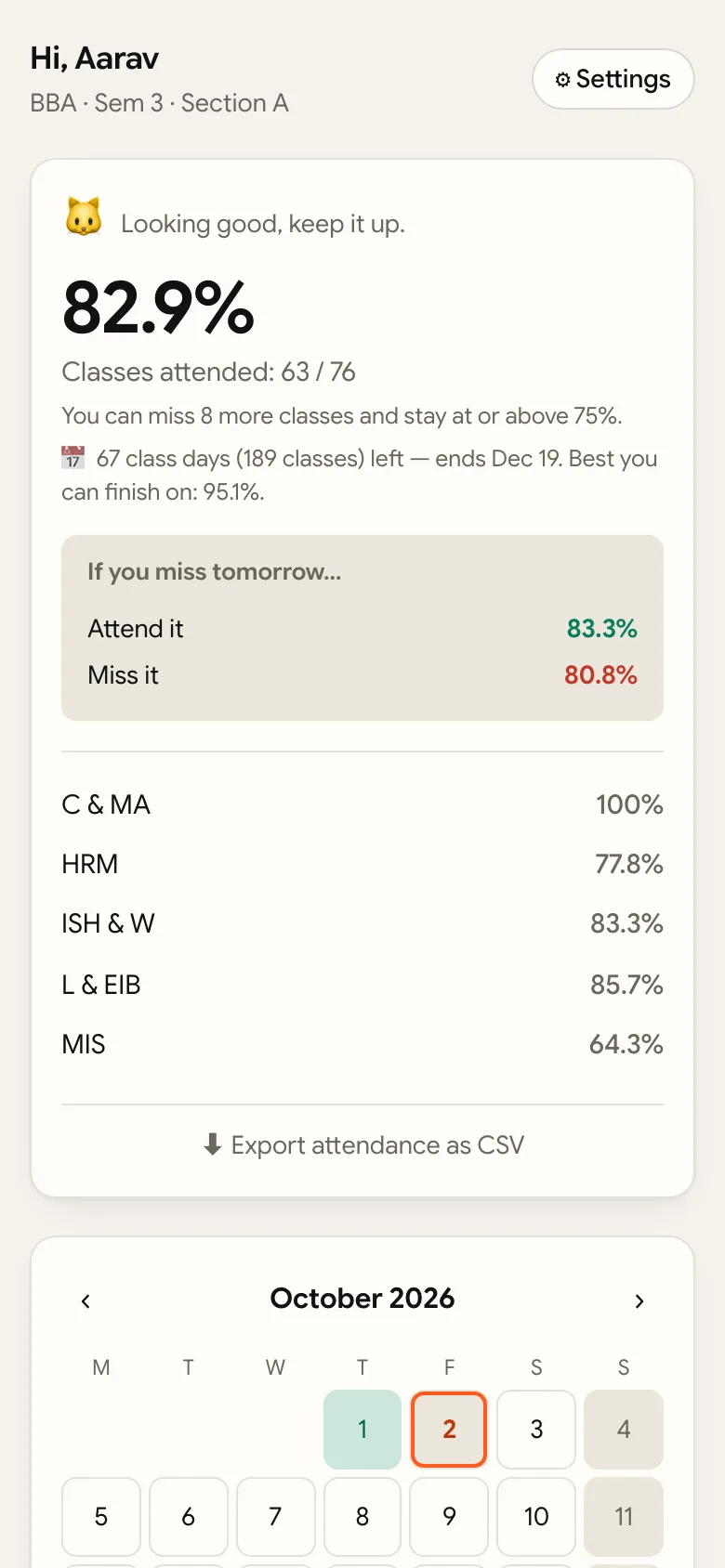
Set up in a minute
- Create an account. Name, username, password. No email.
- Pick your class. If a classmate already added the timetable, it's ready. If not, add it once (about two minutes).
- Add it to your home screen. Android: tap Install when asked. iPhone: Safari → Share → Add to Home Screen.
- Mark each day. Present, absent or no class. Five seconds.
Quick answers
Is it free?
Yes. A few ads pay for the server.
Is this from RCM?
No. I'm a student and made it on my own. The college has nothing to do with it and can't see your data.
Is this my official attendance?
No, the college register is. This is your own record, so nothing catches you off guard.
I forgot my password.
There's no email reset, so pick one you'll remember. If you're stuck, WhatsApp me and I'll reset it.
Attendance guides
- Attendance calculator: how many classes can you miss?
- Below 75%? How many classes you need to get back.
- Subject-wise vs overall: why a good overall % can hide a problem.
Free, and it'll stay free. If it helps you, a cutting chai keeps the server running.
☕ Buy me a cutting chai